Convert Windows Server 2019 Evaluation to Standard Retail
If your VPS has an Evaluation version running as a free install, you can purchase a retail key and convert to a full version fairly quickly with just a few commands.
This process works for most versions, I tested with Windows Server 2019, Windows Server 2022 and Windows Server 2025 Standard versions.
If your VPS powers down every day or every few days, that means that you are over your 180 days free evaluation period and you need to upgrade to a full version of Windows Server.
I prefer Windows Server 2019 over 2022+.
Firstly run PowerShell (Windows control then enter Power Shell)
Then enter the following:
DISM /online /Get-CurrentEditionThat will give you your current version.
Then enter this command to get the upgradeable versions:
DISM /online /Get-TargetEditionsThen, once you have your Windows Server 2019 Standard key, run this command:
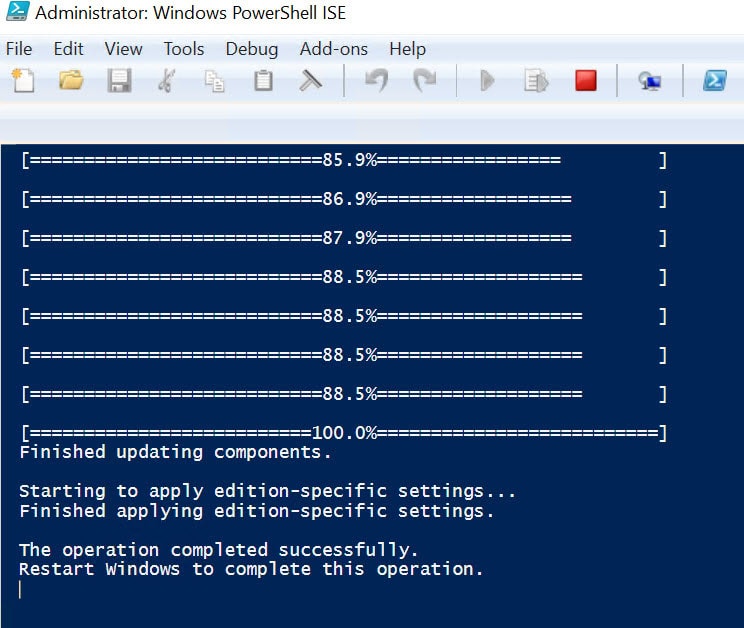
DISM /Online /Set-Edition:ServerStandard /ProductKey:xxxxx-xxxxx-xxxxx-xxxxx-xxxxx /AcceptEulaAfter a few minutes, the process will complete – let this run as it can be slow depending on the system.
You will need to restart the VPS.