Category: Software Tips

  • CSV File issues fixed – MS Excel

    CSV File issues fixed – MS Excel

    I was working with a WordPress plugin and I needed to import a load of products, no problem there is a CSV import option.

    I tediously went through the products and entered them into a file, saved as CSV and uploaded.  Unfortunately, the file was not recognised as nothing was imported.

    I tried entering the encoding UTF-8 option but still no joy.

    Eventually, I found that saving the file as a MS DOS csv file in Excel and then uploading worked fine.

    I use Excel 365 but it should be the same for the previous versions.

  • Switch off BitDefender SSL

    Switch off BitDefender SSL

    Sometimes you may experience issues with websites appearing as not secure or other issues with security eventhough they are secure and have  a valid SSL. 

    I found that switching off BitDefender SSL solves this as this feature scans for the sites’ SSL and BitDefender will use it’s own if there is no SSL – or even if there is!

    BitDefender is my favourite anti virus and allround protection software at the moment but the settings can be a maze,

    To switch off BitDefender SSL:

    • Bring up the BitDefender control panel
    • Click on View Features
    • Find Web Protection tile and click on the gears cog
    • Deselect Scan SSL and close

    Pick up BitDefender on Amazon here

  • Windows Home Server 2011: Cannot check for updates error

    Windows Home Server 2011: Cannot check for updates error

    I know WHS2011 is out of date but it is too much work at the moment to install a newer operating system on my home server.

    I attempted to perform a windows update as I usually do, unfortunately, I received a red error warning

    Windows update cannot currently check for updates because the service is not running. You may need to restart your computer

    Not great but I hoped a simple restart would fix it.  As per usual, no joy, the old switch it of and on again didn’t work.

    I did a bit of research online and found a thankfully simple solution:

    • go to services and stop Windows update service
    • locate C:\Windows\SoftwareDistribution\ folder and delete all its content
    • start Windows update service
    • check for updates

    Microsoft technet forum post

    The user who posted this stated that it worked for Windows Server 2008 R2, I thought tI would give it a go anyway.

    Luckily, it worked first time.  I restarted the update service and the updates were downloading again.

  • Remove sidebar and make shop pages wider with Astra WordPress theme

    Remove sidebar and make shop pages wider with Astra WordPress theme

    I had an issue with the Astra wordpress theme and my Woocommerce store pages. I was stuck with a sidebar that I wasn’t using. Astra sent me the following code to remove the sidebar:

    add_filter( 'astra_page_layout', 'no_sidebar_shop_page' );
    function no_sidebar_shop_page( $sidebar ) {
    if ( is_shop() ) {
    $sidebar = 'no-sidebar';
    }
    return $sidebar;
    }

    This is to go into the functions.php file – create a child theme first.

    This did that job but the content was too far over to the left and the sidebar space was still there.  I searched online and found this code:

    body.woocommerce div#primary {
    width: 100%;
    }

    body.woocommerce div#secondary {
    display: none;
    }

    And to remove the page titles use code:

    .page-title{display:none;}

  • How to stop apps posting on Facebook on your behalf

    How to stop apps posting on Facebook on your behalf

    If you have signed up for a site using your Facebook account but want to revoke this access, how do you do it?  As a non-regular Facebook user, I googled this and loads of old results appeared with outdated and non-working methods.

    It is quite simple but as a non avid user of Facebook, it is not clear how to achieve this.

    Simply login to Facebook, click on Settings, on the left hand panel click on Apps.  Then hover your mouse pointer over the site/app that you want to remove/revoke access and click on the X.  Some sites/apps will require a simple click on Remove, some will allow you to revoke some access as required.

    For further information you can search for:

    – This app can post on your behalf to
    – How to stop websites from posting on facebook
    – How to stop games from posting on facebook wall


    Facebookapps1


    Facebookapps2


    Facebookapps3


    Facebookapps4

  • Multistore Builder Pro – Amazon secret key error – fix

    Multistore Builder Pro – Amazon secret key error – fix

    Multistoreboulderpro Product 1 300x281After installing this product on one of my wordpress sites, I tried to setup the Amazon affiliate store but no matter how many times I tried, I could not get the AWS keys working.  I kept getting error:

    The request signature we calculated does not match the signature you provided. Check your AWS Secret Access Key and signing method. Consult the service documentation for details

    Amazonerror

    How to fix the problem

    After waiting for several days, the developer finally got back to me and sent me the updated version which fixes this issue.  I almost gave up on this as I tried all of my AWS keys and it would not allow any product imports.

    The developer has updated the file in the members download area.  Simply deactivate the plugin in wordpress, delete  plugin (data will remain), install new plugin and activate.

    Check out this product here.  Full review coming soon.

  • Sage Line 50 – Windows 10 error: Unable to register datasource

    Sage Line 50 – Windows 10 error: Unable to register datasource

    After reinstalling Windows on to my PC I noticed that I could not get Sage Line 50 2009 accounting software to load up sample or company data files.

    After searching I found that there is an issue related to the Windows 10 Anniversary updates.  The fix is simple luckily, head over to Ask Sage and download the fix here.

    Instructions

    To resolve this issue, you should download and install the Sage Accounts – Microsoft .Net Update.

      1. Click the download link: http://downloads.sage.co.uk/download/?did=ca1783eb-61e2-4bae-a317-01cb9637de06

    Depending on your browser, the file downloads automatically or you’re prompted to open or save the file.

    If prompted, click Save, then save the file to your Windows desktop. If you receive a message asking you to keep or discard the file, click Keep.

    1. Double-click the downloaded file.
    2. When you receive the message ‘Press any key to exit’, press any key.
    3. Restart your computer then open Sage Accounts.

    Buy Sage 50 Accounts here

  • Photoshop text unreadable

    I had an issue with Photoshop CC text, the text on the next line would only go below the original text.

    This video shows how to fix this, simple leading setting.

  • Method 2: Windows 10 start button stuck

    I have had this issue occur again in Windows 10, I am trying my original solution as I type this but there is another possible solution I found here


    Method 2
    Go to Start menu button and right click on it. This will open the contextual menu, after which you need to select Command Prompt (Admin). Once Command Prompt is open, go ahead with the following steps.

    1. Type and enter: Powershell
    2. Type the following: Get-AppXPackage -AllUsers | Foreach {Add-AppxPackage -DisableDevelopmentMode -Register “$($_.InstallLocation)\AppXManifest.xml”}

    Seeing so many codes on the screen might seem overwhelming, but fret not, the Start menu will become functional again.

    If my first method does not work, I will try this.

  • Windows 7 Updates stuck! Cannot download Windows 10

    I had an issue with an older PC and Windows 7 updates.  I had previously tried to update to Windows 10 last year by the standard download and upgrade route, unfortunately, it refused to activate.  I had to format and start again in Microsoft Windows 7 Pro.

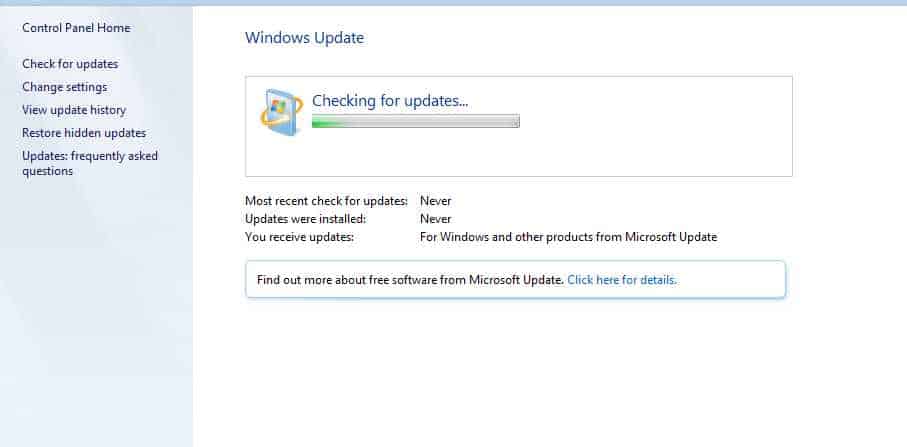
    I decided to try again this week as the deadline is next week so I tried the updater, unfortunately, it got stuck and did not download any updates.  I followed various methods, tried windows update trouble shooter, downloaded various Microsoft patches but nothing worked.

    I found a solution that worked for me, I found this thread at superuser which had a link to WSUS Offline Updater software.  After downloading the current version 10.07 (dated 15/07/16), I selected the x64 version and allowed the software to download and patch my pc.

    After completed the operation which took maybe 10 mins, I expected to be asked to restart but I wasn’t.  I manually rebooted anyway and there was no configuring updates splash screen as there sometimes is so I wasn’t sure if the update worked.  I clicked on Windows 10 icon on the task bar but it said error, cannot restart.  I went to windows updater instead and the only option was to upgrade now, restart.  It restarted and I am glad to say that the process completed and I now have an activated Windows 10.


Pin It on Pinterest