The Covid-19 pandemic has caused most countries across the world to pretty much shut down. With families and workers stuck at home, some companies have generously (in exchange for lovely data) offered free resources for entertainment, home learning and other useful activities to keep you occupied.
This is not the ultimate list but a range of resources I have been sent over the past few days and weeks, it’s handy to have a list.
With reported snow on the way in the UK and several weeks of cold icy weather due, I was looking around for Prius winter driving tips. One topic kept coming up, the lack of a switch to disable traction control on the Prius.
What is traction control?
Traction control is a safety feature which helps the vehicle make use off all of the traction available, if you try accelerating quickly on a slippery road, the traction control light will light up and the wheels will spin whilst the car works to gain traction.
If the car keeps spinning on the spot, you may end up digging a deeper hole and wearing down your tyres unnecessarily whilst going nowhere – not ideal!
Why does traction control matter in winter weather?
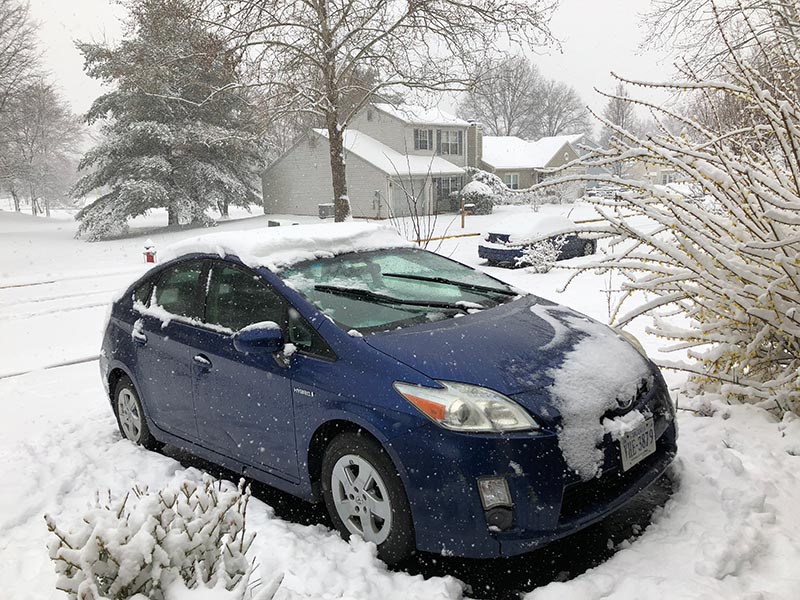
If the roads are slippery and icy, the Prius will struggle for grip and you will not be able to move. I have found that the traction control on the Prius is quite sensitive. From reports online, the Prius is terrible in the winter.
In the generation 3, generation 2 and generation 1 Prius vehicles, there is no switch to disable traction control – I don’t know why but that is the way it is. In the generation 4 Prius vehicles, there is a dedicated switch so these drivers can simply press the button to disable traction control.
How to disable traction control on the Prius?
The process is easy if a little fiddly, it involves peddle presses and button presses. The instructions are:
Ensure the foot brake is on during the whole process
Press the POWER button twice
Press ACCELERATION/GAS pedal all the way down, release and repeat (total twice)
Press and hold BRAKE pedal and put gear into NEUTRAL
Press ACCELERATION/GAS pedal all the way down, release and repeat (total twice)
Press PARKbutton and press ACCELERATION/GAS pedal all the way down, release and repeat (total twice)
Press BRAKE pedal and hold, press POWER button
Process complete, release foot brake.
The display will show the yellow skid traction control light constantly and will show maintenance mode. To reset the process, switch off the car completely. If you want to re-do the process, switch off and start again.
If you want to know how to turn on traction control Prius, simply turn the engine off and on again.
Hope this helps with your Prius this winter ❄️❄️
More about Prius Traction Control
The Prius is a popular hybrid vehicle manufactured by Toyota. It is known for its impressive fuel efficiency and eco-friendly features. Among its many advanced functions, the Prius boasts a highly advanced traction control system. This system, called Prius Traction Control, helps maintain stability and control of the vehicle, especially in slippery or challenging road conditions. With the Prius Traction Control, drivers can confidently navigate through rain, snow, or uneven terrains, as the system senses wheel slippage and adjusts power delivery to ensure optimal grip and traction. This feature enhances the safety and handling of the Prius, making it an ideal choice for those seeking a reliable and versatile vehicle.
how to turn off traction control prius
turn off traction control prius 2010
turn off traction control prius 2010
If you own a 2010 or 2012 Prius and you want to know how to turn on or turn off traction control, you’re in luck! The Prius comes equipped with an advanced traction control system that helps to improve stability and control while driving. To turn on the traction control feature in your Prius, simply locate the traction control button on the dashboard. Pressing this button will activate the Prius traction control, allowing for better handling on slippery or uneven road surfaces.
On the other hand, if you prefer to turn off the traction control in your Prius, you can easily do so by following these steps. Locate the same traction control button on the dashboard and press and hold it for a few seconds. This will disable the traction control system and provide you with a more dynamic driving experience. However, keep in mind that turning off the Prius traction control is not recommended in certain driving conditions, such as rain or snow, as it may compromise your vehicle’s stability.
In conclusion, whether you want to turn on or turn off traction control in your Prius, it’s important to understand how this feature works and when it’s suitable to use. Keeping your Prius traction control on can provide you with added safety and control on the road, especially during inclement weather. However, if you prefer a more spirited driving experience, you can choose to turn off the traction control, but exercise caution and consider the road conditions before doing so.
My side mirror fell off and getting a replacement supplied & fitted would cost £300+. After looking around there was not much clear info, I did find this video [LINK TO BE ADDED] which did give me an idea although not the same Toyota.
To open the door inner panel there are 3 hidden screws, one behind a clearly visible plastic cover, one inside the door lock handle behind the plastic fascia and one inside the armrest handle. I will update with pics.
The mirror can be removed by carefully removing the outer plastic on the arm – do not damage as this will cost £35+ separately and is usually bundled with the unit so specify mirror unit only if yours is ok.
There are 2 bolts inside which I removed with a 10mm socket. The third bolt inside is visible from the cut out and I stupidly struggled to get the angle right to remove it but couldn’t do it. Then I saw that there was a black sticker covering the access hole doh! Again 10mm bolt, be careful not to drop the nut!
The power cable is a simple clip which must also be removed before detaching the mirror.
The new mirror just fits in and bolt up, connect the power and job done.
Putting the inner door frame back I found very tricky and I could not put it back correctly as I was rushed and cold. I fitted all the rivets back in but there are 2 white rivets which the frame should slide onto but I had difficult lining it up and then clipping in so I just ignored it, clipped in and then screwed in. Job done and saved myself about £100. The new mirror cost £181 excluding the colour coded piece of plastic which covers the outside bolts which I already had.
There is a discount Toyota parts dealer (discount toyota parts or something) who had it for about £20 less but they took 3 days to respond to my part request and don’t answer phone calls so I had to buy from the main dealer. For other spares such as Toyota key housing, wiper blades and tyre rims I usually check out Amazon first for the best prices.
Update: October 2017
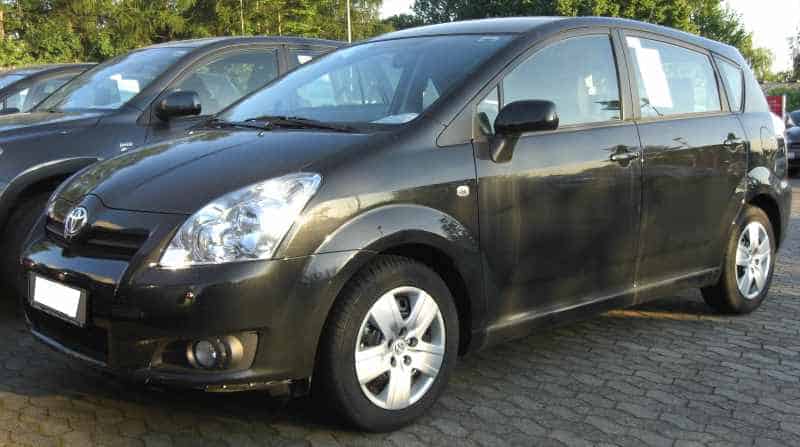
I had the spare mirror sitting in the box on a shelf in my shed for several months collecting dust, my dad has the same car but a 2006 Toyota Corolla Verso. He managed to shatter his mirror making it difficult to use. Instead of getting an original replacement, he bought a stick on mirror.
I persuaded him to let me remove the mirror from my broken wing mirror and just swap it over. It took me 2 minutes and he now has a proper mirror. My mirror has the additional wiring to attach to the heated mirror connector but I just tucked that behind. I simply manually turned the mirror to one side and gently popped it out of the housing, tucked away the heating wire and fitted the motor wire and clipped in the replacement mirror – hey presto, job done.
Update: December 2017
Unfortunately the original video I followed seems to have been removed from YouTube. I have been looking for similar useful videos and have found the following videos which I hope prove to be useful.
This is not the same Toyota Corolla Verso but it is a Toyota Corolla. The concealment of the screws to remove the door are similarly located so you should have an idea on where to look.
https://www.youtube.com/watch?v=RbNNKwM57pY
This is also a Toyota Corolla but the principle of the video is the same. this is not a method I recommend as it requires drilling into the frame of the mirror but it can be a good temporary fix if a replacement wing mirror cannot be sourced quickly.
If your mirror has fallen out as in the second video, you can follow that guide to screw in temporarily. If it has just shattered, you can buy a stick on mirror and simply stick on for temporary use. I say temporary but my dad had a stick on mirror for about a year.
Looking for cap gun caps? I have bought from eBay but I bought some from capgunshop.com and a new metal cap gun, free quick delivery and a few different makes. Don’t see them in the shops anymore.
The biggest stumbling block was that Windows didn’t recognize the second hard drive I was trying to install. No matter which SATA port I used, it didn’t register in Windows. In fact, it seemed only the first two ports worked and if I swapped the DVD (which was using port 2) with the new hard drive, then the DVD wouldn’t appear! Half an hour of googling later I stumbled upon the answer in various user forums. To install new SATA port components in Dell XPS desktops, you have to go into the BIOS and disable Secure Boot mode first. For full details, ggoto zhujin.com/2014/02/dell-xps-8700/
To install new SATA port components in Dell XPS desktops, you have to go into the BIOS and disable Secure Boot mode first. Couple of things worth noting, firstly there was some initial confusion as the BIOS did correctly read the new SATA components but didn’t allow Windows to register them. Secondly, you only have to turn off secure boot once, on next boot up you can turn this back on. Lastly, there was a lot of misleading stuff on the net about your motherboard being broken, even Dell support would tell you this apparently. Don’t listen, it’s just a simple config item.
Iphone 5 sync problems, solution was simple on this occasion, I had the cable plugged into a hub not the pc. Once I plugged into my pc it worked first time. Solution in apple forum thread here,
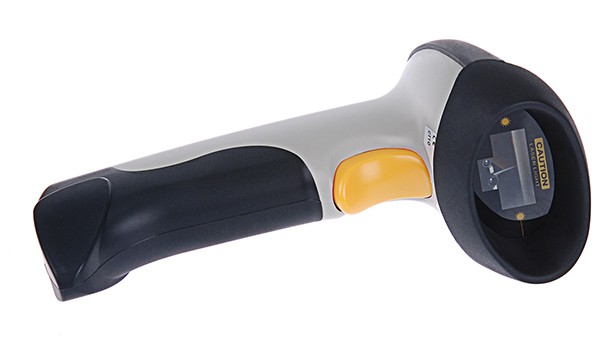
I could not get my Inateck BCST-10 barcode scanner to sync with the Inatack BTA-CSR4B5 USB bBluetoothadapter. Inateck support suggested uninstalling the drivers and installing the adapter as a generic bluetooth adapter. Unfortunately ,that did not work for me. It seems that this is a problem with this particular bBluetoothchipset as this forum post shows.
I followed the advice:
To accomplish this select “Update Driver Software” from “CSR BlueCore Nanosira” (the working device), then select “Browse my computer for driver software” and then “Let me pick form a list of device drivers on my computer”. In my case Windows presents the new driver from CSR (“CSR BlueCore Nanosira”) and two generic drivers as you can see in screenshot 2.
I selected “Generic Bluetooth Radio” from the list and clicked OK. Then I had “Generic Bluetooth Radio” and “Microsoft Bluetooth Enumerator” back under “Bluetooth Radios” and the Bluetooth icon appeard in the taskbar again. After that I was able to use my bluetooth mouse and keyboard again (even without pairing it again).
I tested the scanner with my netbook and the internal bluetooth radio and it works ok.