I am no server master but I have had many Windows VPS machines from Windows Server 2016 to 2025.
I had an issue using a special software (Xevil) not running on my Windows 2022 machine as Windows kept updating and the new security updates kept breaking the software by removing files. My previous post detailed how I stopped Windows Server 2022 from auto-updating.
After reinstalling Windows Server 2022 on the VPS, I noticed that I had issues accessing the internet but I had no idea why, I thought I messed the config.
I reinstalled Windows again and it still didn’t work.
I reached out to support and they said it could be a DNS issue but I wasn’t sure where to look.
I tried again today and thought I better check the adapter settings, I didn’t expect it to be that but indeed it was, the DNS entries were missing.
I have no idea why as I have never had to edit adapter settings on a VPS.
All I did was go to Network and Internet, Change Adapter Options, Ethernet (right click), click on TCPICv4 and at the bottom I added the Google DNS 8.8.8.8 and 8.8.4.4
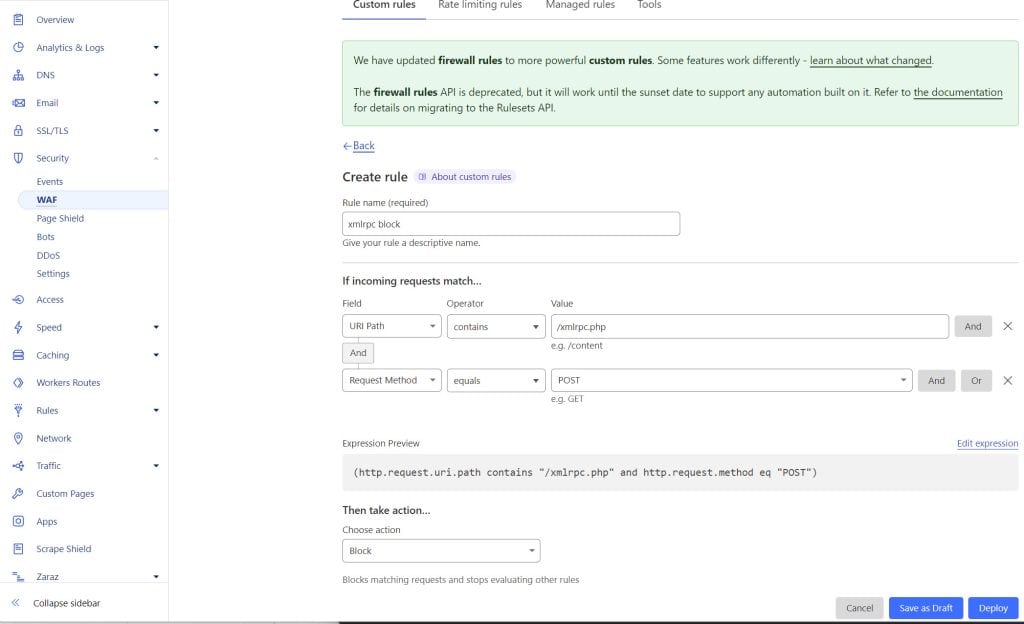
I recently had a spate of login attempts on multiple sites all trying to login using xml-rpc.
Sometimes hundreds of requests per day.
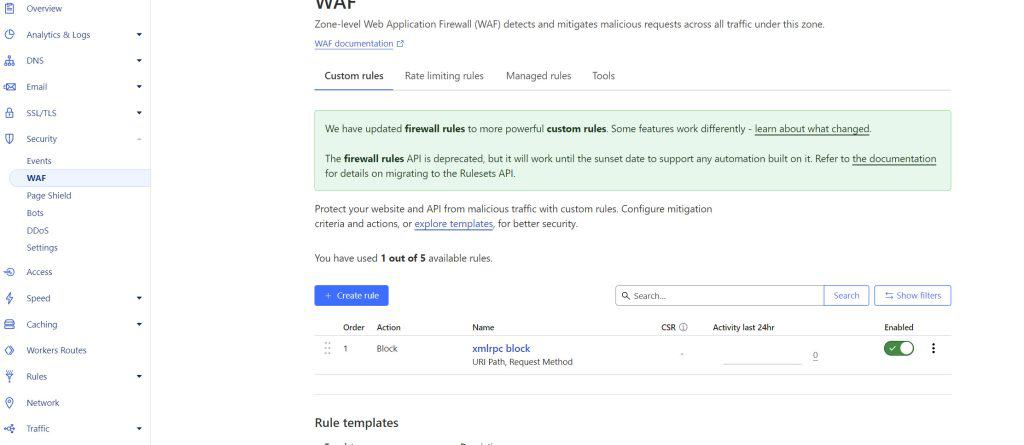
After doing a bit of research, I found that an effective method to block this was to use Cloudflare. As my sites are already managed on Cloudflare free, I could quickly block this attack.
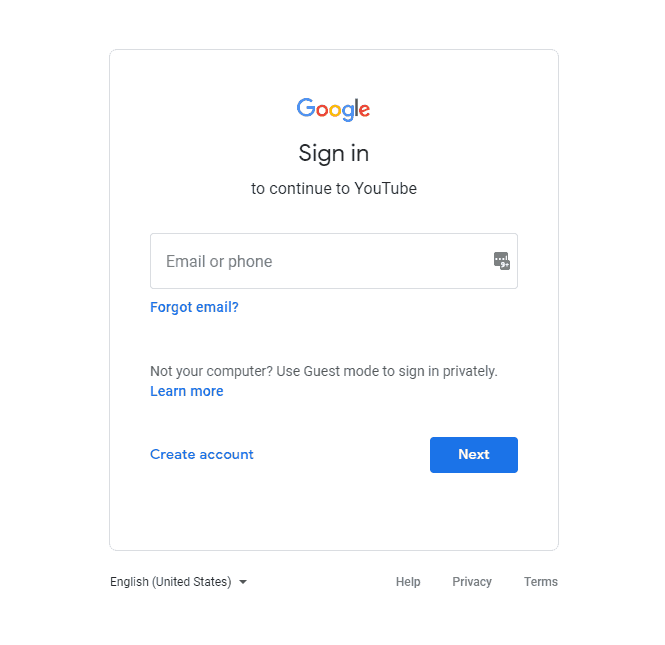
I have had an issue that has been bugging me for the past couple of days. Every time I tried to login into one of my other Google accounts, after entering the username, the password page would just refresh back to the username page.
Google support was pretty unhelpful – I got the standard, delete all cookies and cache. I was also told to disable/delete Chrome extensions. Nothing worked.
I found the solution that worked for me.
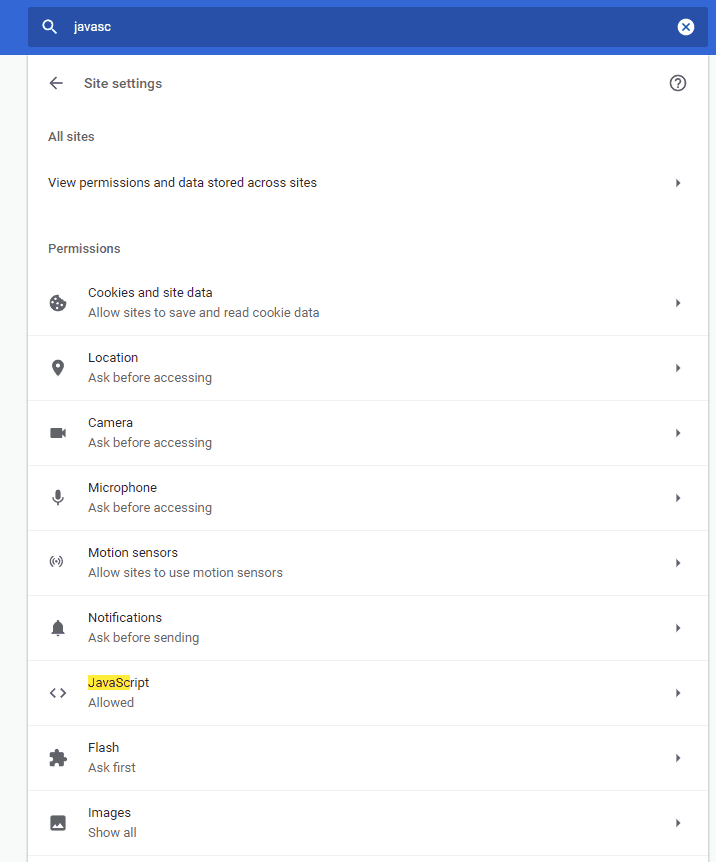
I went into settings (the three dots) and searched for Javascript, that is gound in Site Settings.
I toggled Allowed to off and opened a new tab. Then went back and turned on as most pages need JS.
Hey presto, I could login to my Google, Gmail and YouTube accounts again.
I am new to electric vehicles was not completely clear on the cable standards, charging options and overall practicalness of owning a Plugin Hybrid vehicle.
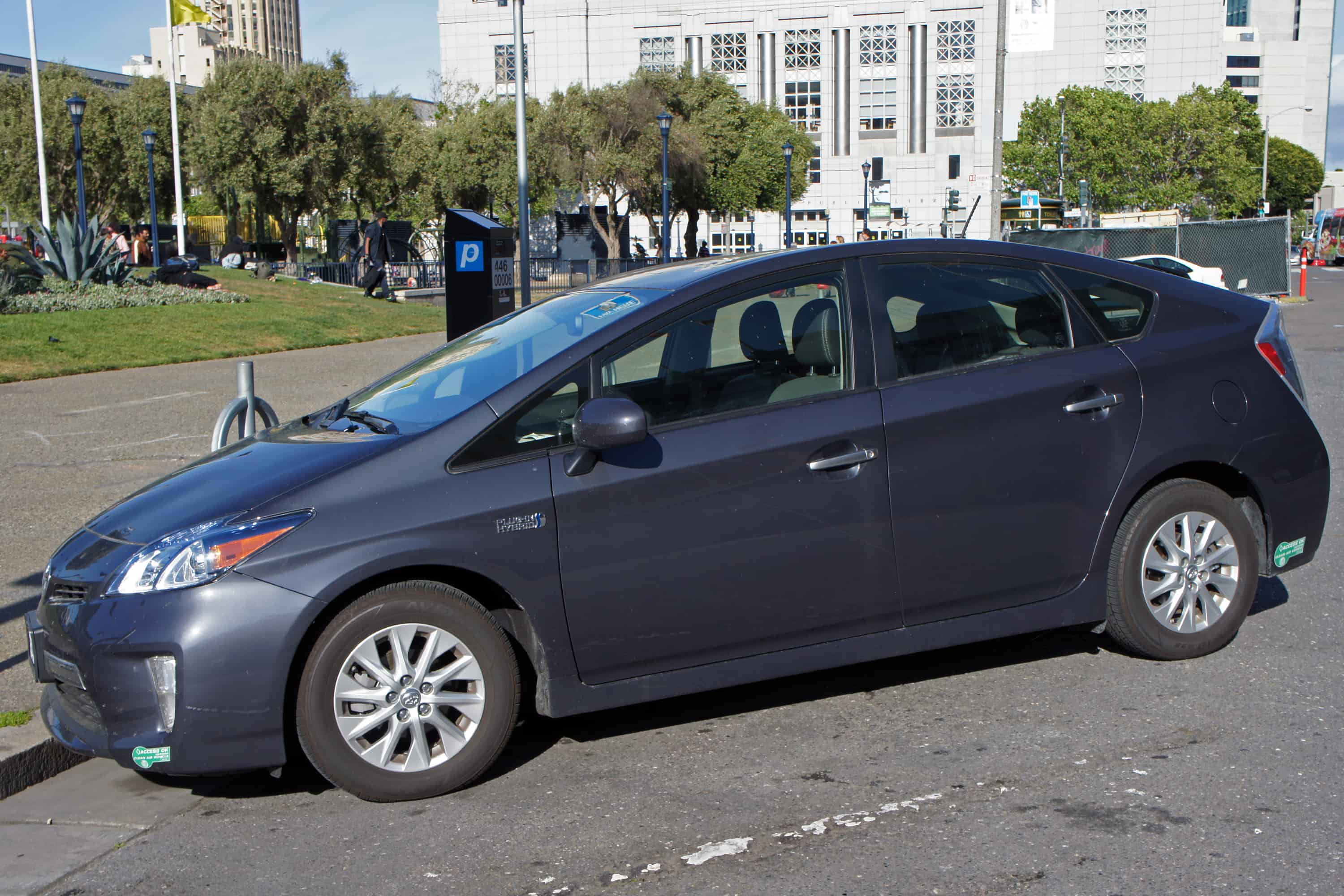
The Prius Plugin 2014-2016 is based on the generation 3 shape of the Toyota Prius, I think it looks ok but I know it is not universally appreciated.
The Prius Plugin has a plugin port which is knows as Type 1, that is with 5 pins. The car is supplied with a 3 pin (UK) plugin “dolly” cable with a transformer?? at one end to plug in to your home supply. The Type 1 port is under the silver chrome petrol style cap.
The cap is quite nice, when you press to release, a small light comes on 🙂 Simply plug the cable into the car and plug in to the mains supply and the car will start charging – indicated by an orange plug light directly above the port.
The problem is, when you are out and about, most of the supply points are type 2 and not 3 pin. Some are still 3 pin such as at Heathrow Airport but I have noticed that they are all moving over to Type 2 and Rapid Charger.
Type 2 charge is a 7 pin connector, not compatible with the Prius Plugin but you can buy a cable with type 2 at the supply end and type 1 at the car end.
The cable I purchased is this one, it cost me £125 which was around the going rate at the time. I read the reviews and it seemed like a good quality robust cable. I was tempted to go for a longer cable than the standard 4.5m as I had pictures of being caught short if the plugin port is on the opposite side of the charger. This has only happened once since I have owned my car and was resolved by placing the cable on top of the car.
If you have a larger vehicle you may want to consider the 7.5 or 10m cable but remember that these will require more storage space and will be heavier. The Prius Plugin has a small compartment in the boot for the supplied cable and plenty of space for this cable plus a 5m waterproof 3pin extension cable I made – never had to use it.
Read my post on practical tips living with a Prius Plugin. I am not overly exuberant about cars but I have enjoyed my experience so far with my Prius Plugin Hybrid electric vehicle (Prius PHEV). (Coming soon)
The Toyota Prius plug-in hybrid charging cable is an essential accessory for Prius owners who want to conveniently recharge their vehicle. This high-quality cable is specifically designed for the Toyota Prius plug-in hybrid and ensures a seamless and efficient charging experience.
The Prius plug-in charger cable is compatible with the Toyota Prius hybrid plugin, allowing you to easily connect your vehicle to a power source. Whether you need to charge at home or on the go, this cable provides the flexibility you need.
With the Prius Prime extension cord, you can extend the reach of your charger cable, giving you added convenience and freedom to charge your Prius wherever it’s most convenient for you. This extension cord is a practical solution for those times when the power source is not within close proximity to your vehicle.
Investing in a reliable and durable Prius charger cable is a wise choice for Prius owners. This cable is specifically designed for the Prius plug-in charger, ensuring compatibility and a secure connection. With its high-quality construction, you can rest assured that your charging experience will be efficient and hassle-free.
So, whether you’re at home or on the road, the Toyota Prius plug-in charger cable is an essential accessory to keep your vehicle charged and ready to go. Don’t settle for subpar charging solutions – invest in the best cable for your Prius plug-in hybrid and enjoy the convenience and peace of mind it provides.
I tried YouTube premium for the first 3 months since release, the renewal price was £11.99 (UK price) for YouTube premium with Youtube Music. I cancelled after the free trial and went back to standard free YouTube.
I didn’t expect to miss the ad-free experience and background audio available with YouTube premium.
After a few days of using standard YouTube, I was desperate to get back on to Premium. To my surprise, the price was £15.99 when using the YouTube iOS app or Safari on my iPhone.
I Googled YouTube price increase to see what was going on and found that Google decided to charge the extra amount only to iOS users as Apple would be taking a cut of the price.
To get around this, I used the Chrome browser on my iPhone and signed into my Google account. The price was the standard £11.99 – happy days!
I still think this is too much as YouTube Music is not optional, I would prefer to pay less and not have YouTube Music but this is not an option unfortunately.
YouTube Premium is a subscription service that offers various benefits to its users. One of the most common questions people have is about the cost of YouTube Premium in the UK. Currently, YouTube Premium offers two pricing tiers – £11.99 and £15.99. The reason for the price difference is that the latter includes YouTube Music Premium as well. So, if you wonder why your YouTube Premium costs £15.99, it’s because you have access to both YouTube Premium and YouTube Music Premium.
Recently, there has been a price increase in the UK for YouTube Music, which might have led to the increase in the overall YouTube Premium price. However, it’s important to note that this higher price also brings added benefits, such as ad-free viewing, background play, and offline downloads across both YouTube and YouTube Music.
For iOS users in the UK, the cost of YouTube Premium remains the same, starting at £11.99. This means that iOS users can enjoy all the features and benefits of YouTube Premium without any additional cost.
In summary, the cost of YouTube Premium in the UK starts at £11.99, but for £15.99, users can access both YouTube Premium and YouTube Music Premium. The recent price increase in YouTube Music might have influenced the overall price. However, the additional benefits provided by YouTube Premium make it a worthwhile investment for those who enjoy uninterrupted ad-free and offline viewing experiences.
I have been using Elementor for over a year now and it is still my favourite page builder for WordPress, with 1 million plus downloads, it is a very popular page builder.
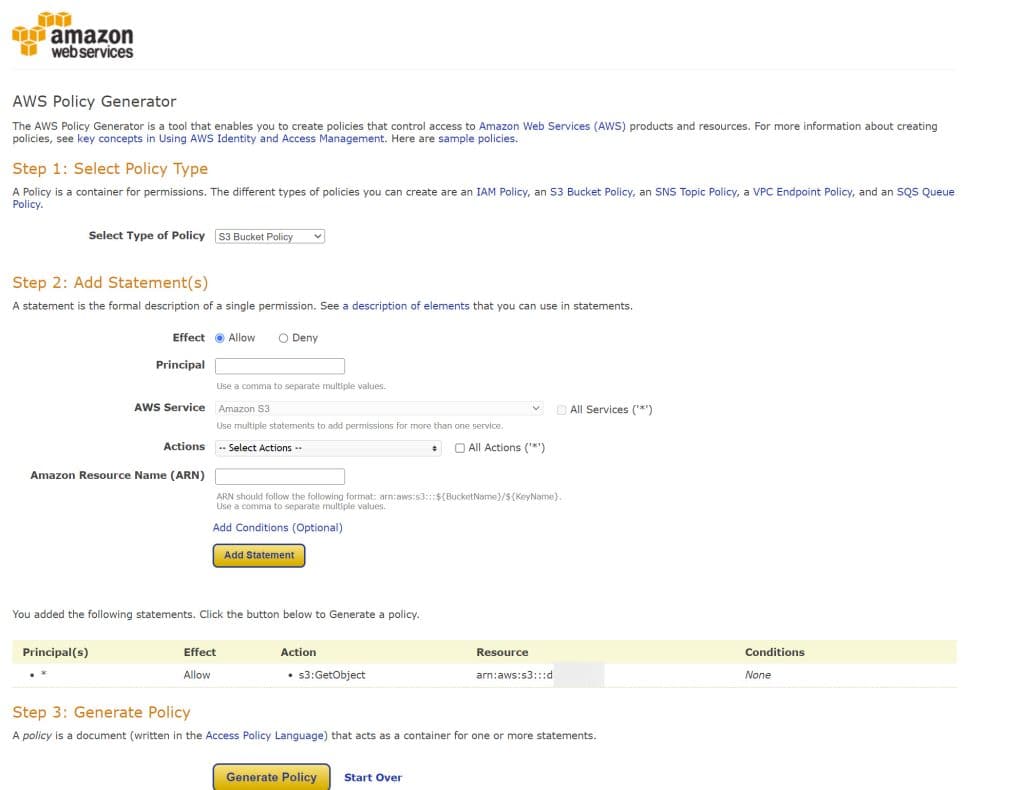
As much as I love Elementor, I recently experienced an issue with adding images from remote locations. I have started to use Amazon AWS for remote video and large image storage to reduce load on my webhost. Adding images from URLs is fine with the standard WordPress add media option but in Elementor, there is no option to add external URLs.
After searching for a solution and seeing that the feature request has been ongoing for over a year, I found that there is a free plugin to add the media to your media gallery thus making it available for use in Elementor as it appears as a normal image.
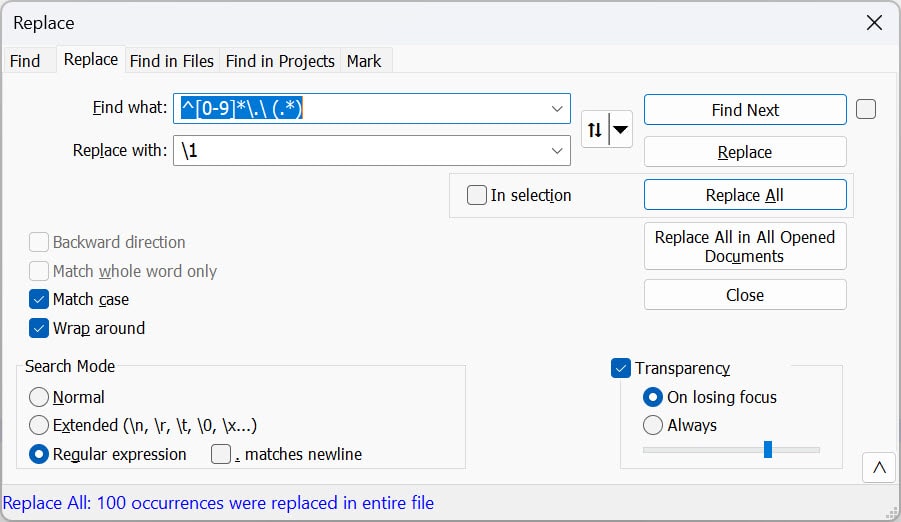
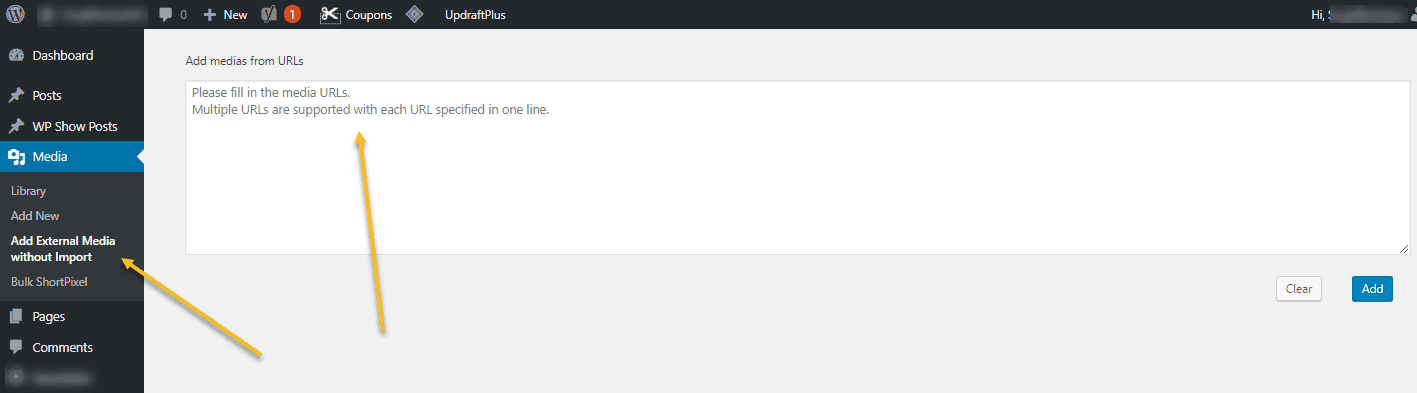
The plugin is called aptly External Media without Import and is available for free. Simply download and install, then click on the media tab and click on the newly added “Add External Media without Import” tab. A simple text box will allow you to enter multiple URLs (1 per line) to import images. These will then be added to your media library for use in Elementor.
I was on the lookout for a new monitor as I needed more desktop space and the old LCD TV I was using as my second monitor was breaking down. I wasn’t sure about 4K as I read that there are still issues with software such as the Adobe suite not being able to resize properly when using 4k and issues with Windows 10 text resizing and scaling.
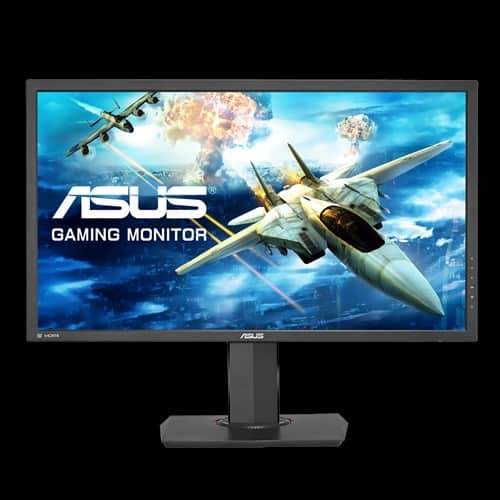
Nevertheless, I went ahead and purchased a 4K monitor to see how well it would work. I chose the Asus MG28UQ 28″ 4K gaming monitor.
Straight away I tried Adobe Photoshop CC 2018 and the tools were out of proportion and it was messy, I reduced the resolution down to 2560×1440 and it looked fine.
The monitor is quite large and heavy, about 66cm width and approx 8kg. I love the stand as it is quick to fit and moves up and down effortlessly and side to side with ease.
There is only 1 display port 1.2 but 1 HDMI 2.0 and 2 HDMI 1.4 ports. Standard 3 pin “kettle” cable and a port for headphones. The buttons are on the right at the back, I love the little knob joystick, very easy to use.
I read reviews where people complained about the speakers but these are the best speakers I have had on any monitor so far and are more than loud enough. I don’t play games so the sound is not an issue for me.
I will write a more elongated review with some pics once I get to use it a little more.
I stuck with the same webhost for over a decade, small webhost with good prices and good personal support. Very few problems, I only recall 2 major issues in the whole time I was with them. Then they collapsed – the server my reseller account was on died and there was no backup plan. A bit shocking considering today’s hosting market but it wasn’t a major issue for me as I had already been sampling other hosts with SSD servers and had my own recent local backups.
Small webhosts are good for support, no doubt about that. They are able to deal with issues personally rather than passing it on to several people and having the issue drag out. The issue was the infrastructure and resources. This host had a decent setup as my sites were not particularly slow, just one ecommerce site was running slow with Magento.
Unfortunately, my first proper webhost is no more, they were gobbled up by Krystal.co.uk in a “merger” which is good for both parties as I think they were a little stuck and Krystal rescued them. I believe that the staff (small team) were kept on which is good to hear, they did their best with the resources they had.
I looked at Krystal’s packages several weeks ago and whilst their servers seem very well equipped and reviews good on various review sites, the pricing was a little too high for the packages on offer.
Smarthosting, who I was with on various packages, from the cheap and cheerful £2.50pm unlimited package to the reseller then the master reseller packages – also just got bought or merged with Krystal hosting. This was a surprise as SmartHosting were having issues then went quiet for a few days, then there were little changes such as support e-mails coming from Krystal. There were rumours in various forums that the deal was done before but it was poor of SmartHosting not to inform its customers of the situation beforehand. My old host gave notice and kept customers in the loop on the process – although this was a complete take over as they no longer exist whereas Smarthosting is still running but managed by Krystal.
It is a strange coincidence to loose 2 web hosts to the same company in the space of a week, from various hosting forums it seems that there are mergers and buyouts happening all of the time – is this really good for competition and customers? I considered a certain reseller host and found out they are owned by another company with terrible customer reviews – who also own 2 other large hosting companies. That is fine but they have dominance on the market and advertise their services everywhere, it is not easy to find out who the parent company is.
In my opinion, it is best to try a host with a free trial so you have the safety net to cancel. I have tried a few hosts by installingWordPresss and installing loads of plugins to see how the site copes. Basic packages will not usually run well with more than a handful of plugins but midlevel packages and above should work fine.
I have nothing against Krystal, their servers appear to be of high specification and their base packages seem to be reasonable but for my needs, their reseller account is not priced suitably and the specification of the package is not high enough.
If you are looking for a new host, check out my post on WordPress hosts, Smarthosting, Siteground hosting and Jolt hosting. I have sites with all of these hosts so I think they are good. Side note, wordpress hosting usually means that a host has technology in place to optimise wordpress installations, they also do standard hosting.